



This article gives you a copy-ready office relocation project plan example, built around the checklists that actually prevent chaos on move day. It covers the timeline, task owners, IT cutover steps, budget lines and the post-move settling-in window that most plans skip. Expect a planning horizon varying by office size and complexity, generally longer for major fit-outs or new lease negotiations.
TL;DR:
- A clear project plan should include dedicated workstreams such as governance, IT, staff communication, and logistics to prevent overlooked responsibilities.
- Planning for a move of 150 or more staff typically requires a 6 to 12-month timeline, with early lease negotiation, design, and procurement stages.
- Assigning a single project owner is crucial to coordinate tasks, avoid conflicts, and keep all aspects of the move aligned throughout the process.
- IT cutover must be scheduled at least 8 to 12 weeks in advance, with thorough testing and contingency plans to minimize downtime on move day.
- Incorporating a two-week settling-in period ensures post-move issues are resolved quickly, reducing long-term disruption and improving overall move success.
A solid office relocation project plan divides into workstreams, not a single flat task list. Trying to run everything off one spreadsheet tab is how deadlines get buried under 200 rows nobody reads twice.
Break the plan into these workstreams:
Each task line in your template should carry four fields: task name, owner, due date, and status (not started, in progress, blocked, done). That sounds obvious until you inherit a plan where half the rows have no owner and everyone assumes someone else is handling it. Templates with owner and duration columns, like those built for office relocation project plans, are a reasonable starting structure precisely because they force this discipline.
You don’t need specialist software to run this. A shared Google Sheet with conditional formatting handles a small move fine. Mid-size projects benefit from a Kanban board (Trello, Asana) so status changes are visible without a weekly meeting. Larger, multi-department moves usually justify a proper Gantt chart, because dependencies between fit-out approval and furniture delivery become genuinely hard to track in a flat list. For a deeper breakdown of what a full office relocation project management plan should contain, it’s worth reviewing a complete structure before you build your own.
Your schedule should scale to the size and complexity of the move, not a fixed calendar.
JLL recommends preparing up to 24 weeks in advance for a standard relocation, which aligns closely with the mid-size template above. Large or highly regulated organisations sometimes choose a phased move, using swing space or after-hours works to shift one floor or department at a time. This costs more in coordination but keeps operations running rather than shutting the whole business for a weekend.
Every move needs one person who owns the whole timeline. Split accountability between facilities, IT and HR and you’ll spend more time resolving disagreements than managing risk. Integrity Office’s guidance on relocation project management makes this point directly: a single empowered project manager, not a committee, keeps design, procurement and logistics moving in the same direction.
Five roles cover most moves:
A short RACI checklist prevents the classic gaps: who’s Responsible for the inventory, who’s Accountable for ordering furniture, who needs to be Consulted on access passes, who’s just Informed once testing is done. Keep meetings brief and frequent rather than long and weekly. Allied’s planning guidance on business relocations backs this too: short check-ins that surface risk early beat status reports nobody reads until it’s too late.
Treat IT as its own workstream running parallel to everything else, not a task buried under “logistics”. Circuit orders, phone porting and server migrations all have lead times measured in months, not days, and ITswitch’s guidance on business relocations is blunt about this: book activations early or accept downtime on day one.
Your IT cutover checklist should include:
Run staff communications on a parallel timeline: announce the move early, follow with operational details (new address, parking, access cards), then packing instructions a week or two out, and finally move-day contacts and a settling-in FAQ.
Pro Tip: Reserve a dedicated test window the day before staff arrive. If phones or the network fail, you want to discover it with IT on site, not with 80 people standing at their new desks.

Your budget needs distinct line items, not a single “moving costs” bucket that hides where money actually goes.
Furniture, joinery and cabling all carry long lead times, sometimes eight to twelve weeks for custom orders, so lock these in during discovery rather than after fit-out approval. Track supplier lead times against your milestone schedule weekly once procurement starts. Set an approval threshold (say, anything over $2,000 needs sign-off) so contingency spend doesn’t leak out unnoticed. For a fuller breakdown of cost categories, see this guide to office move budget planning.
Move day runs smoothly when the sequence is decided in advance, not improvised on the truck.
Use a colour-coded floor plan, matching sticker colours to zones, so removalists and supervisors can place boxes correctly without asking. Assign a move-day coordinator at both the old and new site, an IT verifier checking systems as they come online, department leads confirming their own area, and a removalist foreman managing the crew. This mirrors the general commercial relocation approach Allied recommends when scoping a business move: define responsibilities in advance so nobody’s improvising on the day.
The move isn’t finished when the last box is unpacked. Integrity Office’s advice on relocations is specific here: a planned settling-in window of one to two weeks catches the defects that always surface once people are actually working.
In week one, check:
Log every defect with an owner and a target resolution date, and review the list at a short daily stand-up until it clears. Before you close the project, capture lessons learned in the master relocation folder. It’s the fastest way to make your next move easier, and it’s also worth checking basic hygiene and pest prevention as part of your pre-occupation checks, something facilities guidance on office workspaces covers well for newly occupied buildings.
Most project managers treat the move date as the finish line. It isn’t. The defects that actually cost productivity, a phone system that drops calls under real load, a door access card that doesn’t work for half the floor, only show up once people are back doing their jobs.
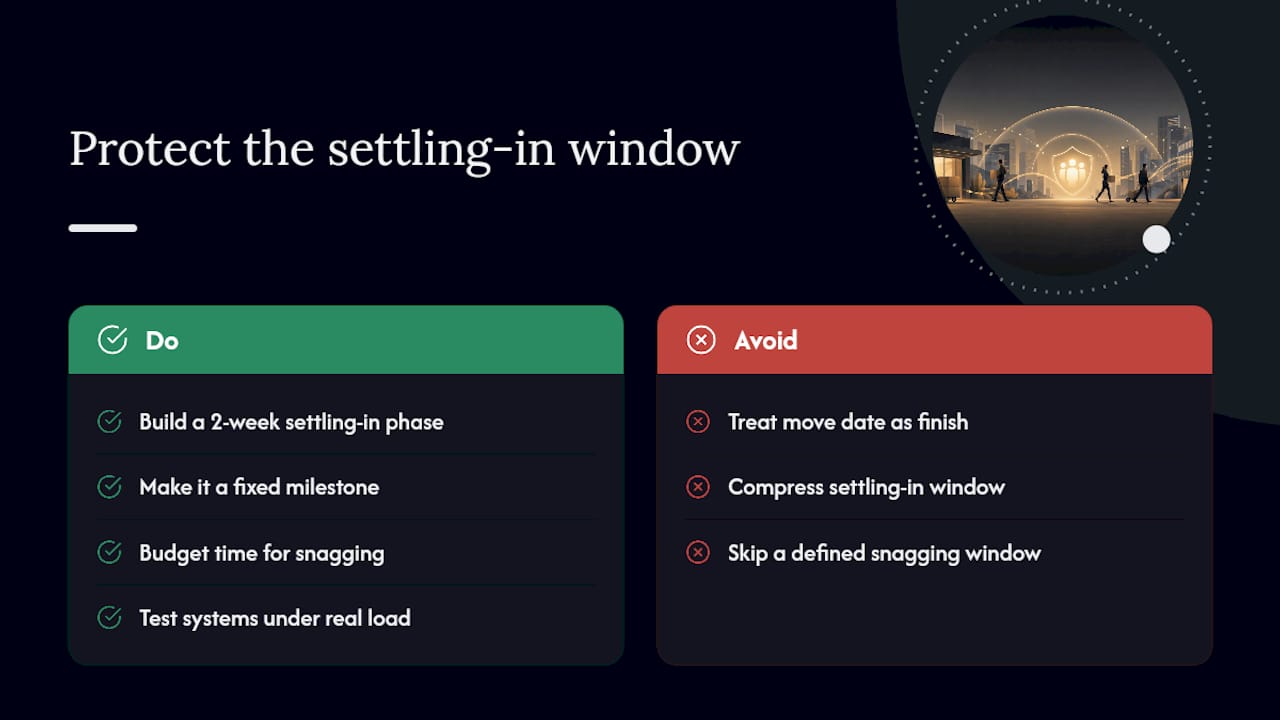
What’s underestimated is how often the settling-in period gets compressed under budget or schedule pressure, right when it matters most. A plan with no defined snagging window tends to let issues drag on for months because there’s no forcing function to close them out. Building a two-week settling-in phase into your original schedule, not as a stretch goal but as a fixed milestone, is one of the cheapest risk controls in the entire project.
Case studies, author credentials and further proof points for this approach will be added here.
— Dinshaw
There are other ways to run a relocation project, spreadsheets, generic project software, or a facilities team stretched across other priorities. None of them carry the specific experience of having coordinated dozens of commercial moves through exactly the failure points covered above: IT cutover, move-day sequencing, and the settling-in period everyone else skips.
Onyx Removals runs commercial relocation project management for Melbourne businesses, covering the removalist crews, packing and unpacking, short-term storage and post-move support that a plan like this needs to actually execute. If you’re weighing up your options, the commercial moving process overview explains how we structure a project from discovery through to settling-in. Get a quote through our services page and we’ll scope your move against the timeline that fits your business, not a generic template.

No Related Post


