



Moving IT gear sounds simple but it can cost a fortune if you get it wrong. Companies lose up to 40 percent less equipment to damage just by doing a proper pre-move check. Most people stress about unpacking everything at the other end but the real problems usually happen before a single box even leaves the building.
| Key Point | Explanation |
|---|---|
| 1. Create a Detailed Equipment Inventory | Document all IT equipment with details like model, serial numbers, and operational status to ensure seamless tracking and management during the move. |
| 2. Prioritise Critical Equipment | Rank your equipment based on importance to focus on safe transport and efficient setup of mission-critical assets first. |
| 3. Backup All Critical Data | Ensure multiple backups of sensitive information are created before preparing equipment for relocation to prevent data loss. |
| 4. Use Proper Packing Materials | Employ manufacturer recommended packing materials to protect equipment from damage by environmental factors and transport shocks. |
| 5. Document Post-Move Equipment Status | Perform comprehensive evaluations and create reports comparing pre and post-move performance to identify any transport-related issues. |
Preparing for IT equipment relocation requires a meticulous and strategic approach to ensure every technological asset is carefully managed. Before you start packing, a comprehensive assessment of your existing equipment provides the critical foundation for a smooth transition.
Begin by creating a detailed inventory of all IT hardware and peripherals. This means walking through each workspace and documenting every computer, server, monitor, printer, networking device, and specialised equipment. Photograph each item from multiple angles and record serial numbers, model information, and current operational status. This documentation serves multiple purposes: it helps track equipment during the move, provides insurance documentation, and assists with potential replacement or reconfiguration after relocation.
Next, evaluate the current condition and functionality of each piece of equipment. Some devices might require servicing or upgrading before transportation. Check for existing damage, loose connections, or performance issues that could be exacerbated during moving. Consider consulting your internal IT team or a professional technician to conduct a thorough diagnostic assessment.
Prioritise your equipment based on criticality and complexity. Mission-critical servers, specialised workstations, and high-value technological assets will need extra attention and potentially custom packing solutions. Create a hierarchical list ranking equipment from most to least essential, which will guide your packing strategy and potential temporary replacement needs.
Take time to understand the specific transportation requirements for different types of equipment. Delicate components like servers with sensitive hard drives, precision measurement tools, or graphics workstations need specialised handling. According to Gartner’s IT infrastructure research, proper pre-move assessment can reduce equipment damage risks by up to 40 percent during relocation.
Finally, document all software licenses, configuration details, and network settings. Create backup copies of critical data and ensure all systems are comprehensively documented. This preparation minimises potential disruptions and provides a clear roadmap for reinstallation and reconfiguration at the new location.
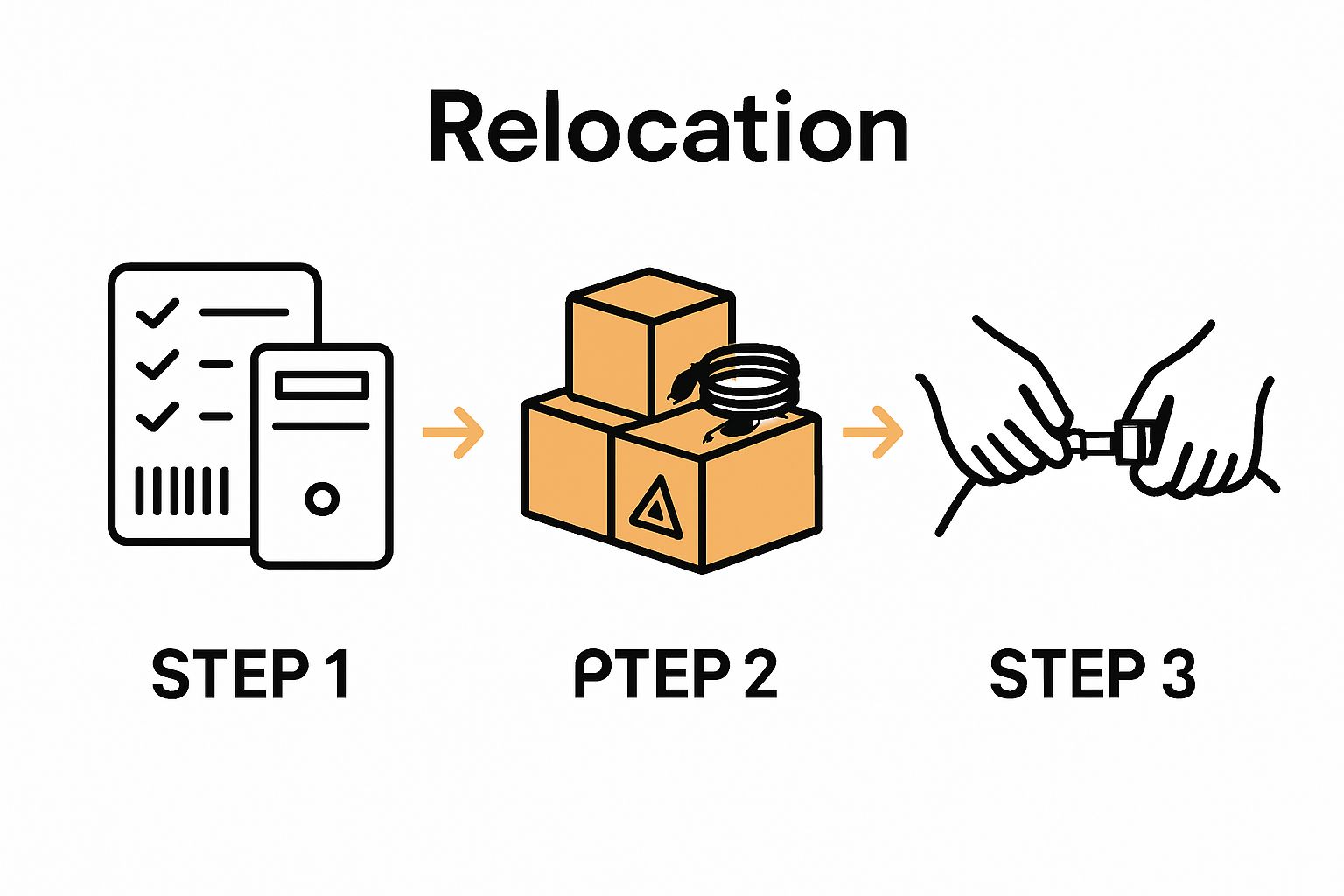
By thoroughly assessing your IT equipment beforehand, you transform a potentially chaotic move into a structured, manageable process that protects your technological investments and minimises operational downtime.
Here is a summary table outlining each major step in the IT equipment relocation process, including the main focus and a key action for each phase.
| Step | Main Focus | Key Action |
|---|---|---|
| Assess Needs | Inventory & condition | Document and photograph all equipment |
| Plan Logistics | Organisation & tracking | Create a detailed, colour-coded inventory |
| Prepare for Move | Protection & backup | Backup data and use specialised packing |
| Execute Move | Safe transportation | Use chain of custody and real-time comms |
| Set Up & Test | Reassembly & testing | Systematic reassembly and staged testing |
| Review & Document | Evaluation & records | Compare pre/post performance and create reports |
Transitioning from your initial equipment assessment, the next critical phase in IT equipment relocation involves meticulously documenting and strategically planning your move. A comprehensive inventory and strategic logistics plan will serve as your blueprint for a successful technological transfer.
Start by developing a detailed spreadsheet that captures every single technological asset. This document should include comprehensive details such as equipment serial numbers, current location, network configurations, and specific handling requirements. Colour code each item based on its criticality and fragility to help movers understand the priority and care needed for different pieces of equipment.
Organise your inventory with precision, categorising items by department, functionality, or technological category. This approach allows for systematic packing and unpacking, minimising potential confusion during relocation. Include additional columns for tracking current status, special transportation needs, and any required pre move preparations such as data backup or component disassembly.
Communicate extensively with your moving team about the specific requirements of your IT infrastructure. Provide them with your detailed inventory and highlight any equipment that demands specialised handling. According to PwC’s technology migration guidelines, clear communication reduces potential equipment damage by approximately 35 percent during corporate relocations.
Consider the technical specifications and environmental needs of each piece of equipment. Sensitive hardware like servers, precision measurement tools, and high performance workstations might require climate controlled transportation, shock absorbing packaging, and specific humidity controls. Factor in these nuanced requirements when selecting your transportation method and packing materials.
Establish a comprehensive timeline that synchronises your IT equipment move with broader organisational relocation plans. This involves coordinating with different departments, scheduling equipment shutdown and restart windows, and planning minimal operational disruption. Create buffer periods that allow for unexpected complications and potential reconfiguration challenges at the new location.
Develop a robust tracking system that allows real time monitoring of your equipment during transportation. Use digital tracking tools or GPS enabled containers to maintain visibility throughout the relocation process. This not only provides peace of mind but also enables quick intervention if any unexpected issues arise during transit.
By creating a meticulous inventory and strategic logistics plan, you transform a potentially complex technological move into a structured, manageable process that protects your valuable IT assets and ensures operational continuity.
Preparing IT equipment for relocation demands precision, care, and a systematic approach that goes beyond typical moving practices. This critical stage involves protecting your technological investments while ensuring they remain functional and undamaged throughout the transition.
Backup all critical data before beginning any physical preparation. Create multiple backup copies stored on different media types, including external hard drives and secure cloud storage platforms. Encrypt sensitive information and verify the integrity of each backup to guarantee no data loss occurs during the move. For complex network systems, consider creating complete system image backups that can facilitate rapid restoration if needed.
Disassemble equipment methodically, documenting each step with photographs and detailed notes. Label every cable, component, and connection point to simplify reassembly at the new location. Obtain specialised packing materials designed specifically for technological equipment, including anti static bubble wrap, custom foam inserts, and reinforced electronic transportation cases. According to Gartner’s technology relocation research, using manufacturer recommended packing materials can reduce potential damage by up to 60 percent.
Protect sensitive electronic components from potential environmental hazards during transportation. This means using moisture absorbing packets, temperature resistant packaging, and cushioning materials that prevent internal component shifting. Consider the specific environmental conditions your equipment might encounter during transit, including potential temperature fluctuations, humidity variations, and physical shock.
Carefully remove and separately package delicate components like hard drives, graphics cards, and memory modules. If possible, transport these items separately in padded, climate controlled containers. For servers and complex networking equipment, consult manufacturer guidelines about specific transportation requirements. Some high end technological assets might require professional crating or custom transportation solutions.
Check out our expert guide on moving tips for additional insights into managing complex relocations. Each piece of equipment requires individual attention, transforming the move from a potential technological disaster into a carefully orchestrated transition that preserves the functionality and integrity of your critical IT infrastructure.
Before finalising packaging, conduct a final diagnostic check on each piece of equipment. Document its current operational status, take comprehensive photographs, and ensure all protective measures are securely implemented. This meticulous approach minimises potential risks and sets the stage for a successful technological relocation.
Use this checklist table to verify completion of key preparation tasks before moving your IT equipment. Tick off each item as you complete it to ensure nothing is overlooked.
| Task | Purpose | Completed |
|---|---|---|
| Backup all critical data | Safeguard information and prevent data loss | |
| Label all cables and components | Simplify reassembly at new location | |
| Photograph equipment and condition | Serve as insurance and reinstallation reference | |
| Use anti-static packing materials | Prevent static damage to devices | |
| Separate and secure sensitive components | Protect hard drives, graphics, memory modules | |
| Conduct final diagnostic checks | Confirm operational status pre-move | |
| Document software and network configs | Enable smooth setup at new site |
The actual execution of your IT equipment relocation represents the most critical phase where careful planning transforms into precise action. This stage demands unwavering attention to detail and a systematic approach that minimises potential risks to your technological infrastructure.
Begin by orchestrating a coordinated loading strategy that prioritises the most sensitive equipment. Handle server racks and critical networking equipment first, ensuring they are loaded into transportation vehicles with maximum stability and minimal potential for movement. Use specialised equipment transportation containers with robust shock absorption capabilities and secure mounting systems to prevent internal component damage during transit.
Implement a chain of custody protocol for tracking each piece of equipment throughout the relocation process. This means assigning specific team members to monitor and document the movement of critical technological assets from their original location to the new destination. Maintain real time communication between loading teams, transportation personnel, and receiving staff to ensure continuous accountability.
Explore our comprehensive office relocation process insights to gain deeper understanding of professional moving strategies. During transportation, maintain consistent environmental conditions that protect your technological equipment. This includes regulating temperature, minimising vibration, and protecting against potential moisture exposure.
Ensure that transportation vehicles are equipped with appropriate suspension systems and climate control mechanisms. Professional moving teams should use vehicles specifically designed for sensitive equipment transportation, featuring advanced stabilisation technologies and controlled internal environments. According to transportation logistics research, specialised vehicles can reduce potential equipment damage by up to 45 percent compared to standard transportation methods.
Communicate continuously with all stakeholders during the relocation process. Provide regular updates about equipment status, anticipated arrival times, and any potential challenges encountered during transportation. Maintain digital and physical documentation tracking each piece of equipment, including timestamps, location coordinates, and current condition assessments.
As equipment arrives at the new location, conduct immediate visual and functional inspections. Document any potential transportation related issues immediately and compare current equipment status against your pre move inventory. This proactive approach allows for rapid identification and resolution of any transportation induced complications, ensuring your technological infrastructure remains intact and operational.
The final stage of IT equipment relocation involves strategically reinstalling and thoroughly testing your technological infrastructure in the new environment. This crucial phase transforms your carefully transported equipment into a fully functional operational system.
Begin by meticulously unpacking equipment according to your pre planned inventory documentation. Reassemble complex systems systematically, referencing the photographs and notes created during the initial disassembly. Pay close attention to cable management, ensuring network connections are organised, labeled, and configured precisely as they were in the original location. This methodical approach minimises potential configuration errors and reduces overall setup time.
Prioritise setting up critical infrastructure components first. Servers, core networking equipment, and primary workstations should be reinstalled and configured before peripheral devices. Verify power infrastructure and ensure appropriate electrical connections meet the specific requirements of each piece of technological equipment. Conduct thorough electrical safety checks and use surge protectors and appropriate voltage stabilisation systems to protect sensitive hardware.
Explore our comprehensive moving tips for professional transitions to gain additional insights into successful equipment relocation. Implement a staged testing approach that systematically validates the functionality of each technological asset. Start with basic power on tests, then progress to network connectivity checks, and finally comprehensive diagnostic evaluations of hardware performance.
According to technology migration research, implementing a structured testing protocol can reduce potential operational disruptions by up to 70 percent. Conduct multiple layers of testing, including:
Document every step of the setup and testing process. Create detailed reports that track the current status of each piece of equipment, noting any discrepancies between pre move and post move performance. This documentation serves multiple purposes, including potential insurance claims, future maintenance planning, and providing a clear record of the relocation process.
Allow sufficient time for comprehensive system stabilisation.
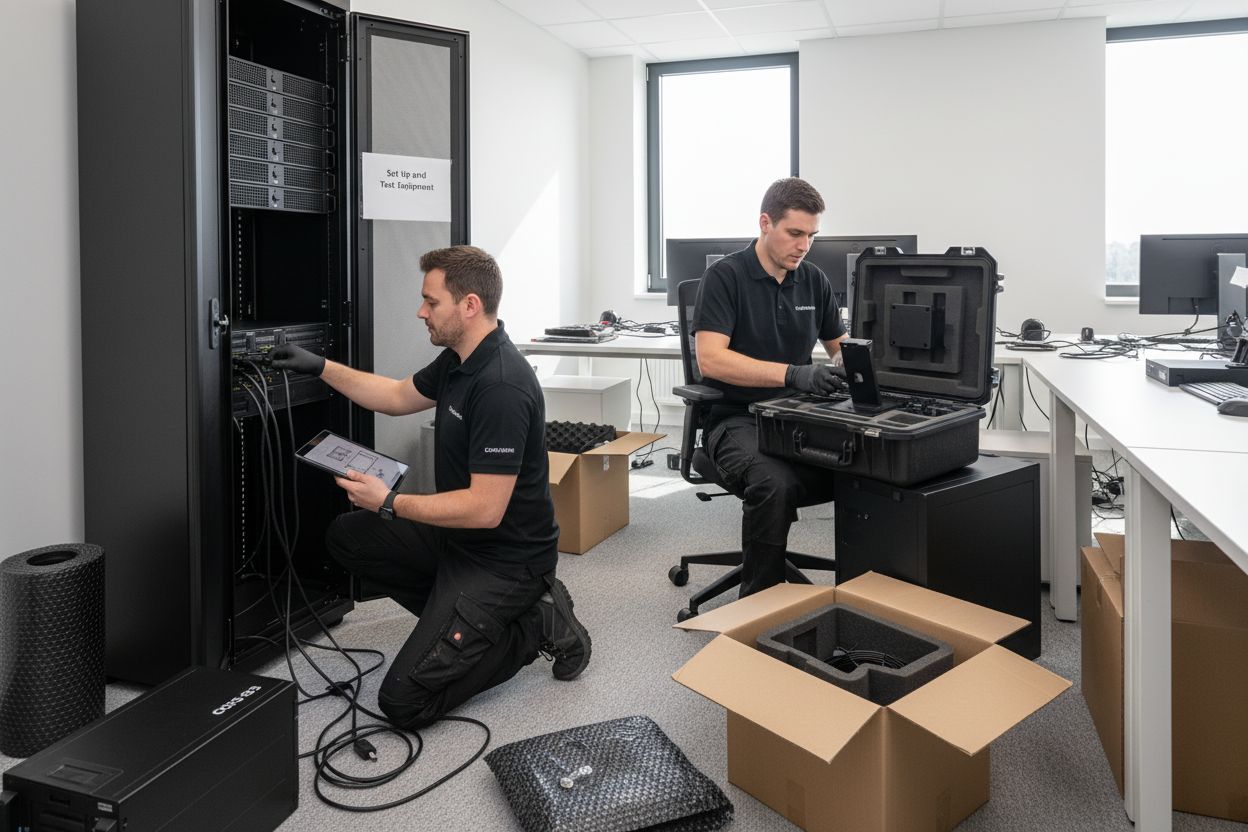 Some complex technological infrastructures might require several days of monitoring to ensure complete operational reliability. Maintain open communication channels with your IT team and be prepared to make incremental adjustments as the new environment settles.
By approaching the setup and testing phase with methodical precision, you transform a potentially disruptive relocation into a smooth technological transition that maintains the integrity and performance of your critical IT infrastructure.
The final phase of IT equipment relocation involves a comprehensive review and documentation process that validates the entire moving operation and establishes a comprehensive record of your technological transition. This critical step transforms your relocation from a mere physical movement into a strategic organisational transformation.
Conduct a systematic performance evaluation of all relocated equipment, comparing pre move and post move operational capabilities. This means generating detailed reports that track each technological asset’s functionality, network performance, and overall system integrity. Pay special attention to subtle changes in system response times, network latency, and individual device performance metrics that might indicate potential transportation related impacts.
Prepare a comprehensive relocation report that serves multiple organisational purposes. Document every aspect of the move, including challenges encountered, solutions implemented, and lessons learned. This report becomes an invaluable resource for future technological migrations and provides crucial institutional knowledge about your equipment handling processes.
Learn more about our secure document transportation methods to understand best practices in professional documentation. According to records management guidelines, maintaining precise documentation is crucial for long term organisational effectiveness.
Capture photographic and video evidence throughout the relocation process. These visual records provide additional documentation beyond written reports, offering tangible proof of equipment condition and serving potential insurance or warranty requirements. Create a digital archive that includes:
Schedule a comprehensive review meeting with key stakeholders to discuss the relocation process. This meeting should include representatives from IT, operations, and management to provide a holistic assessment of the move’s success. Discuss any identified improvements, potential future optimisation strategies, and celebrate the successful technological transition.
Finally, update all relevant inventory management systems, network configuration databases, and asset tracking platforms to reflect the new equipment locations and current operational status. This ensures that your organisational records remain accurate and up to date, supporting future maintenance, insurance, and strategic planning efforts.
Moving your valuable technology can be overwhelming. You want to avoid costly downtime, minimise risks of hardware damage, and make certain every server, workstation, and vital file arrives ready for business as usual. After reading about the importance of careful assessments, inventory tracking, secure packaging, and step-by-step reinstallation, it is clear that a DIY approach can feel risky and exhausting. Whether you are concerned about data security, complex network setups, or simply want reassurance that everything is handled with professional precision, your organisation deserves a partner who actually gets how critical this process is.
Explore our tailored business relocation solutions designed specifically for companies managing sensitive IT transitions. Our seasoned team takes charge of every detail so you can feel confident knowing your assets are protected and your move is fully coordinated from start to finish.
Safeguard your tech investment today. Discover how Onyx Removals delivers seamless IT relocations and business moves throughout Melbourne. If you are ready to protect your equipment and your reputation, contact our specialists now for a personalised plan that minimises downtime and keeps your business moving forward.
Assess your IT equipment needs by creating a detailed inventory of all hardware and peripherals. Document each item’s serial number, model, and operational status to ensure a smooth transition.
Develop a comprehensive inventory spreadsheet that includes handling requirements, network configurations, and current item status. Organise this data by department or functionality to streamline packing and unpacking processes.
Backup all critical data and create multiple copies in different formats. Disassemble your equipment while documenting each step, labelling cables and connections for easy reassembly at the new location.
Prioritise loading sensitive equipment first and maintain real-time communication among your moving team to ensure accountability. Implement a chain of custody protocol to track each item’s movement throughout the relocation process.
Upon arrival, conduct immediate visual and functional inspections of the equipment. Compare its current status against your pre-move inventory to quickly identify any transport-related issues.
Prepare a comprehensive relocation report that includes performance evaluations and any challenges encountered. Document everything with photographs and detailed notes to create an archive for future reference.

No Related Post


