



The most reliable way of managing an office move is to appoint one project lead, plan in phases, order internet and phone carriers first, and rehearse the IT cutover before move day. Watch three failure points: connectivity, make-good timing and untested systems. Review your lease for make-good terms, request provisional carrier installs and book a project kick-off.
TL;DR:
- Start the lease review and condition report 18–24 months ahead; place conditional carrier orders six to nine months out, then confirm dates 8–12 weeks before moving.
- Test the network at least two weeks before move day, schedule number ports midweek, and keep the old circuit live alongside temporary 4G or 5G backup.
- Make good can take two to six weeks; document the premises’ condition and written fit out consents, then agree the scope or settlement with the landlord early.
- If the new site changes commuting times significantly, review employment contracts and seek advice before announcing the move, since an unreasonable relocation may entitle employees to redundancy.
Start earlier than feels necessary. One fit-out practitioner advises that if your lease expires within 24 months, planning should begin now, with workplace strategy developed in the 12–18 month window and final fit-out signed off at 6–9 months. JLL’s guide suggests preparing up to 24 weeks ahead with a week-by-week checklist, which suits smaller moves where the site is already secured. For a deeper walk-through of the phases, our office relocation timeline for Melbourne shows how to cut downtime.
Here is how the phases break down:
The sequence of work inside the final fortnight matters as much as the dates:
Pro Tip: Give the project lead written authority to make spending and scheduling decisions up to a set limit, so small problems never wait on a committee.
Our guide to building an office relocation project management plan turns this timeline into a template you can adapt.
Build the budget from buckets, then add contingency on top. The main lines are:
When you request quotes, send every mover the same written scope, the same access details and the same exclusions. Otherwise you are comparing different jobs. Check the insurance limits in each quote against the value of your equipment, and ask what happens if a delay pushes the job into extra hours. For reference, our published rate for office and house packing and unpacking is 109 $ per hour, so a clear inventory directly affects the cost of that line.
Make-good is the line most managers underestimate. Commission a dilapidations estimate early. One valuation firm says a condition report and costing six to twelve months before expiry lets you negotiate scope calmly rather than under deadline pressure.
Ways to trim spend without risking the move:
Pro Tip: Ask every supplier to list what is not included. Exclusions, not headline prices, are where budgets blow out.
Treat the IT move as its own project with its own owner. One Australian IT runbook is blunt that the internet carrier order is the single biggest critical-path item, and that number porting can take many business days.
Start with a dependency map. List every upstream service (internet provider, carrier, phone lines) and every downstream one (printers, EFTPOS terminals, single sign-on, cloud integrations), and name an owner for each.
| Phase | Action | Owner |
|---|---|---|
| Weeks 12 to 8 | Order carriers, schedule number ports | IT lead |
| Before the move | Cable and test the new network | Cabling contractor |
| Before the move | Pilot cohort tests the new site | IT lead |
| Move weekend | Staged cutover, DNS and phone changes | War room team |
| After the move | Smoke tests and heightened monitoring | IT lead |
The same runbook recommends testing the new network at least two weeks before move day, scheduling ports midweek and keeping the old circuit live for overlap. Avoid porting on the Friday of a move.
Your cutover sequence should run in this order:
After the move, run application smoke tests and a restore test, then watch the environment closely for 7–14 days.
Privacy belongs on the checklist too. The OAIC notes that the Australian Privacy Principles continue to apply when working arrangements change, and suggests a privacy impact assessment when a change affects how personal information is handled.
For a ready-made schedule, see our IT lead relocation plan example.
Most commercial leases include a make-good clause, and a tenant should push for a defined scope and a condition report at lease start. Scope is everything. A full strip-out costs far more than repairing the premises to their starting condition, and the lease wording decides which applies.
A general make-good clause does not automatically require you to remove fit-out. Lease advisers point out that this depends on what the lease or the landlord’s written consent says, which is why consents to fit-out works should be recorded in writing.
Your practical options:
Evidence worth keeping includes dated photographs, signed condition reports and every consent record. One legal guide notes that make-good work commonly takes two to six weeks at handover, so plan your move date and make-good window to overlap sensibly. Competing contractor quotes obtained early give you a benchmark when the landlord’s figure arrives.
Pro Tip: Book the make-good contractor before you book the movers. The handover date often decides the move date, not the other way round.
A good brief saves hours on the day. Put it in writing and include:
Then cover the logistics:
Staging reduces downtime. Move support teams and shared equipment first, and leave frontline desks until last so people can keep working. Colour-coded labels matched to a floor plan help crews place furniture without asking, and an asset register makes it easier to spot missing equipment. For a longer look at what a professional crew handles, read our commercial moving process explained.
Our approach maps directly onto the checklist above. As a Melbourne team, we coordinate:
Our guide is a good starting point for your own plan. You can see it in our office relocation project plan guide.
People feel a move on the first Monday, so plan their experience as carefully as the freight. Start by telling staff early, with a single source of truth such as an intranet page covering dates, commute changes and desk allocations. JLL’s guide also puts employee engagement alongside scope and budget as a core part of the checklist.
If the new site changes commuting times significantly, check your obligations. Fair Work guidance says an employer’s relocation can be enforceable when agreed, but employees may be entitled to redundancy where the relocation is unreasonable, depending on contract terms, commuting changes and what the employer does to ease the burden. Take advice before announcing a distant site.
For the setup itself:
Remote and hybrid staff deserve the same attention: confirm where their equipment is delivered and whether their booking system for hot desks works from day one.
Not everything needs to arrive on day one. Storage lets you stage the move, protect records and avoid cluttering a new floor plan. Short-term storage suits furniture waiting on fit-out completion, surplus stock and equipment you are deciding whether to keep. Our guides to temporary storage during relocation and short-term storage options explain the choices.
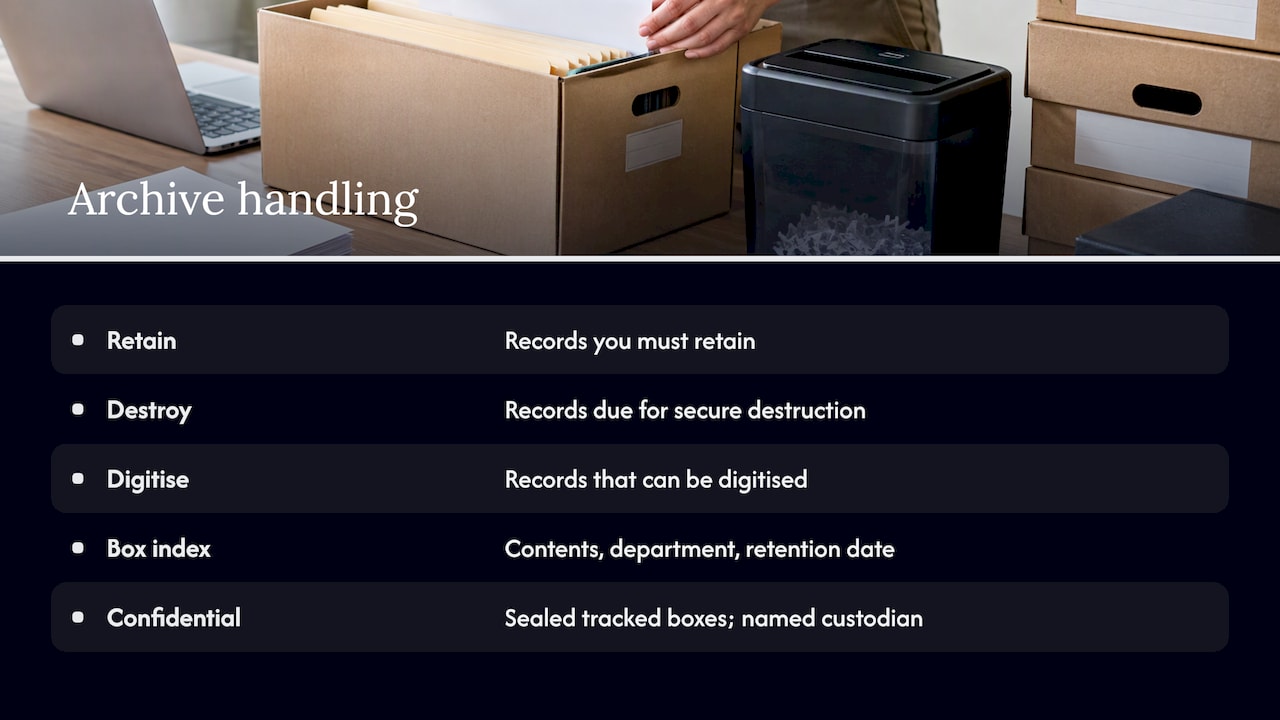
For archives, sort first. Separate records you must retain, records due for secure destruction and records you can digitise. Label each box with contents, department and retention date, and keep an index so any file can be retrieved without opening every carton. Confidential material needs sealed, tracked boxes and a named custodian.
Plan for access, too. If finance may need last year’s files during the transition, keep that stock somewhere you can reach quickly rather than at the back of a deep stack.
Treat furniture like equipment: it needs a procedure. Before the day, photograph each workstation configuration and number every desk. During dismantling:
At the new site, follow the desk map. Reassemble in zones so one team finishes a floor completely before the next begins, and check each workstation against its photograph before signing it off. Anything damaged or surplus is recorded on the asset register on the spot, which keeps insurance conversations factual. Our team handles assembly and dismantling as part of a managed move, and for large fit-outs you may also want the fit-out contractor present for modular systems.
Most office moves are won or lost with the carrier, not the removalist. If I could change one habit, it would be ordering connectivity before choosing a truck.
Three takeaways:
After the move, update your relocation playbook while the lessons are fresh, because the next move will come sooner than you think.
— Dinshaw
If you want a managed move, we offer office relocation, packing and unpacking, short-term storage, waste disposal and cleaning from one team, so your checklist has fewer handovers. To get an accurate quote, send us your move date range, an inventory, any access restrictions and your lift loading arrangements. We then prepare a proposal that mirrors the phases above. See our services and request your quote today.
Update your address with the ABN register, the bank, insurers, the tax office, suppliers, utilities and your website and email signatures. business.gov.au also advises keeping your business address and ABN up to date so you can access assistance in an emergency.
A good plan names a project lead, sets phases with dates, lists owners for IT, lease and logistics tasks, and holds a contingency budget. It is reviewed weekly and updated after the move as part of a lessons-learned session.
In the final month, confirm carrier dates, finalise the movers’ brief, label assets, communicate desk maps and take final backups. Walk the new site with the movers and IT lead, and prepare a printed runbook for move day.
As early as your lease and site allow. Carrier installs and number porting are long-lead items, so place conditional orders around six to nine months out and confirm dates in the 8–12 week window.

No Related Post


